For GHL agencies and SaaS mode

GoHighLevel Dashboard Customization Services

Your clients should see your software, not HighLevel's. We restyle the GoHighLevel dashboard with custom CSS and code, from brand colors and dark mode to a redesigned login page, across your agency account and every sub-account.

See 15 theme examplesLast updated

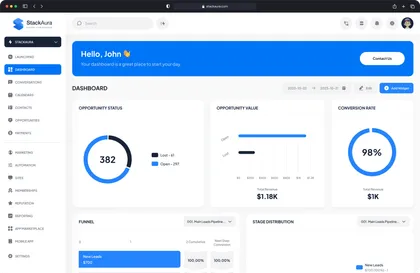
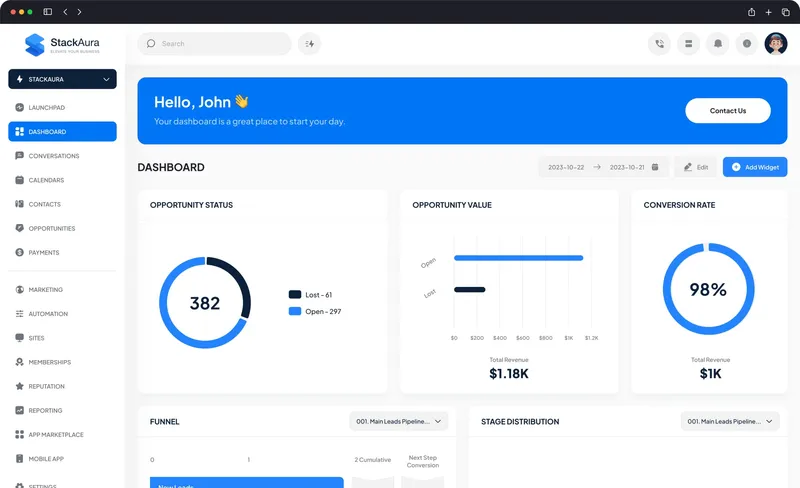
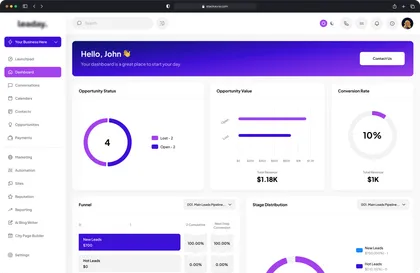
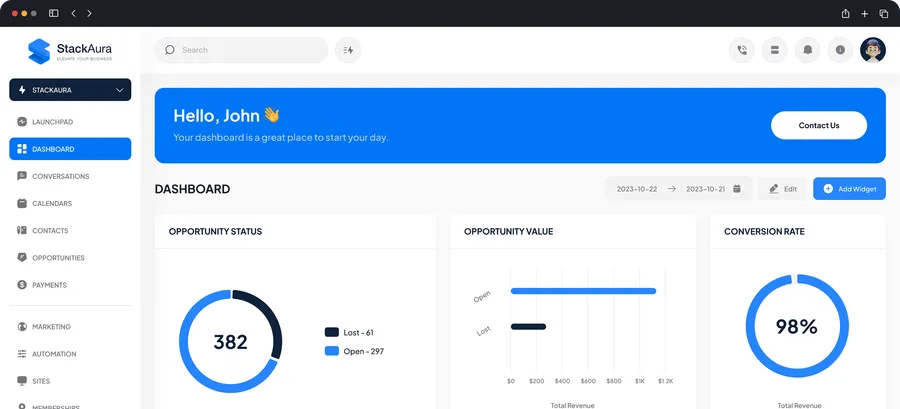
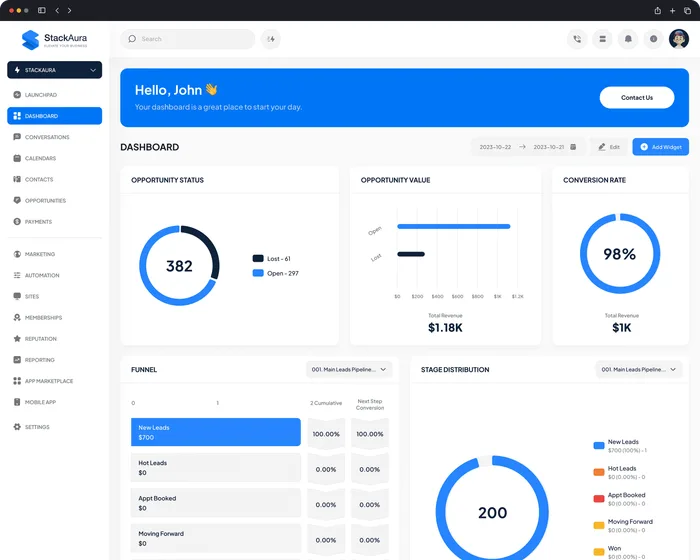
Light branded dashboard with a blue welcome banner, opportunity charts and a sidebar menu
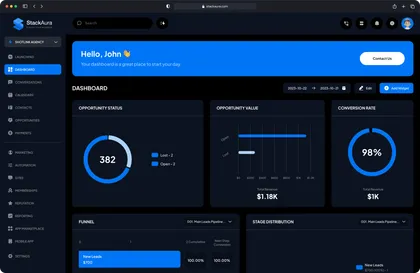
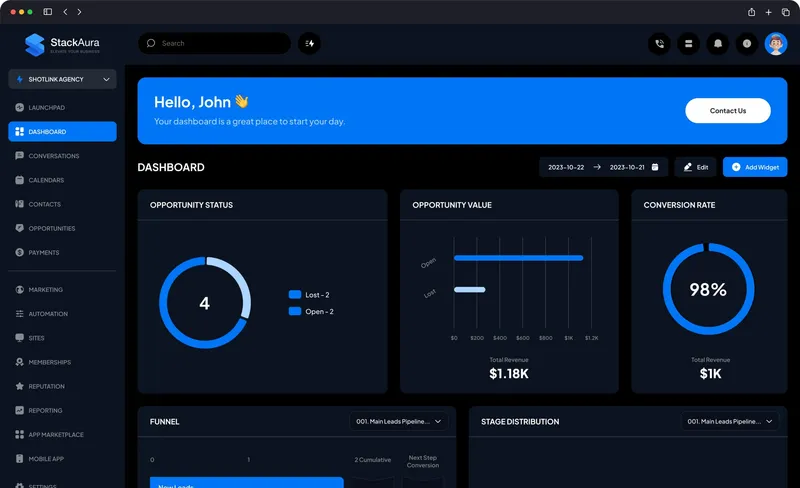
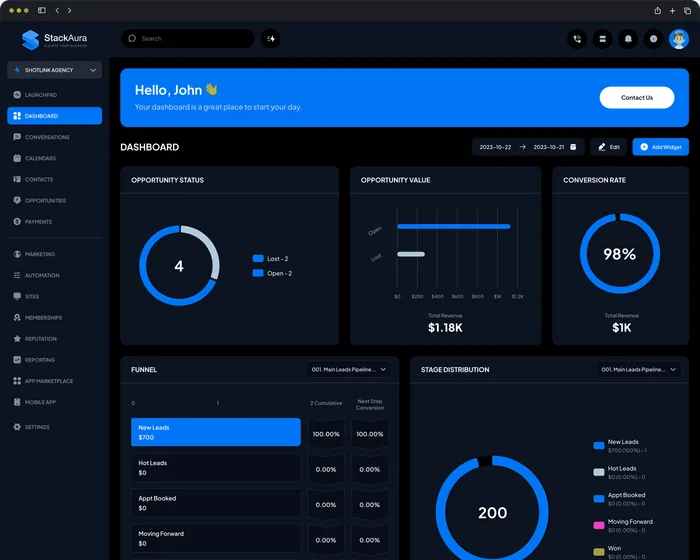
Dark mode version of the same dashboard with blue charts
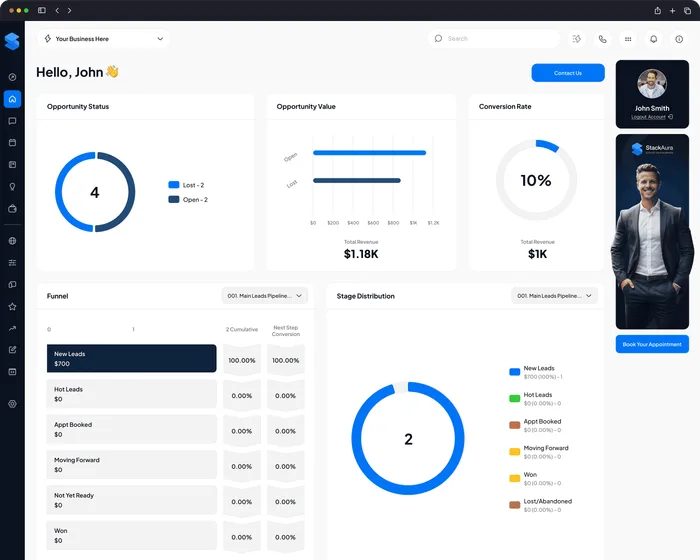
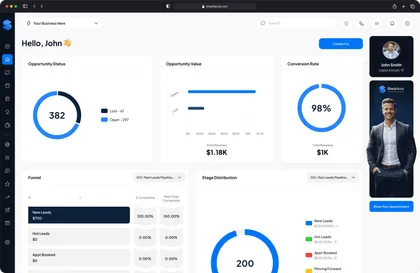
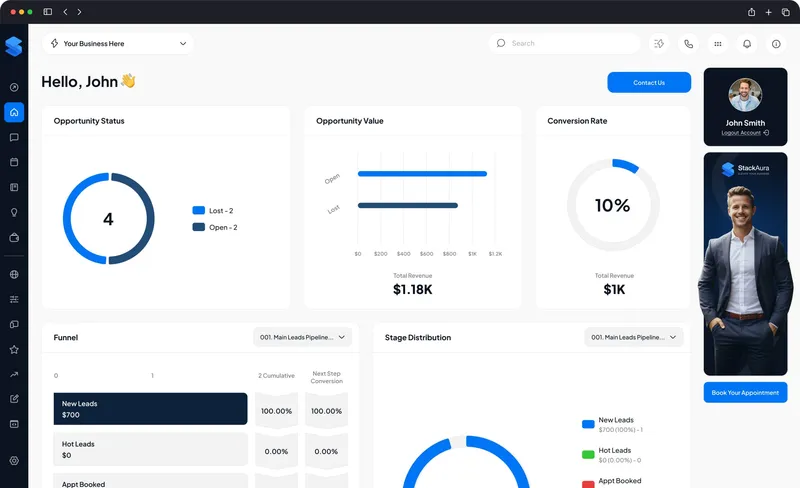
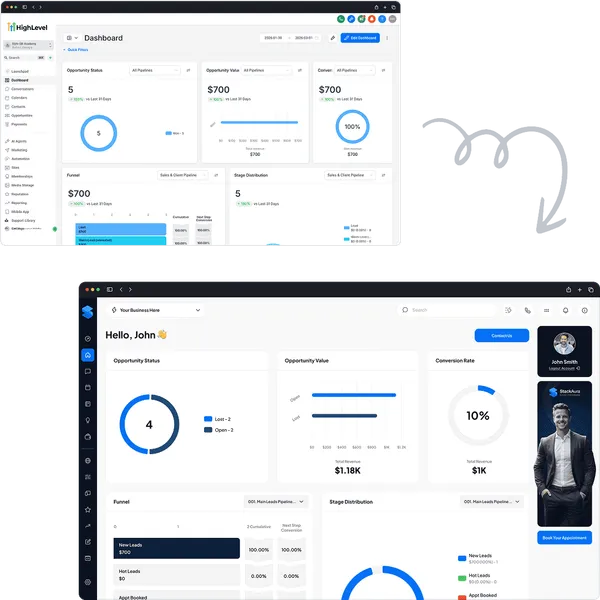
Customized GoHighLevel dashboard with opportunity charts and an account manager card

Free estimate

Get a Quick Estimate

Tell us a few details about your project and we’ll send you a personalized estimate and recommendations straight to your inbox.

Loading the estimate form…

Developer writing code on two monitors

What it is

What Is GoHighLevel Dashboard Customization?

GoHighLevel dashboard customization means restyling HighLevel’s interface with custom CSS and code, so your agency account and every sub-account look like your own software: your colors, typography, sidebar, login page and banners. You’ll also see it written as Go High Level dashboard customization or GHL dashboard customization.

HighLevel’s agency settings let you add a logo, a white-label domain and a Light/Dark theme. Everything else, from brand colors to layout, takes custom CSS. That is the work we do at StackAura for agencies that resell GHL or run their clients inside it. For day-to-day work inside the platform, you can also hire a GoHighLevel expert from our team.

It is not the same as HighLevel’s reporting Dashboards, the widgets that show leads, pipelines and revenue. Customization changes the interface itself.
  • Custom GHL themes in your brand colors
  • A simpler dashboard your clients can find their way around
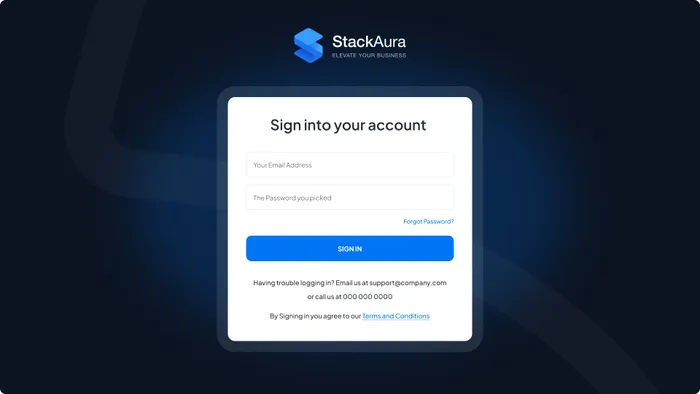
  • A branded login page for every client

Why it matters

Why a Standard GoHighLevel Interface Limits Your Growth

Most agencies run their clients inside the default GoHighLevel dashboard.

It works, but it was built for everyone, not for your brand or the way your agency works.

Over time the dashboard fills up, navigation gets heavy, and clients start to recognize the platform behind your service.

When clients see your brand every time they log in, your agency looks like the product, not a reseller. A custom CSS theme and a cleaner layout get you there.

Business owner thinking while working on a laptop

Native vs. custom

What HighLevel Lets You Brand Natively vs. What Needs Custom CSS

HighLevel's agency settings cover the basics. Everything else takes custom CSS and code. Here is what each option gives you.

What native HighLevel settings, a custom CSS theme and an Apex Rebrand each cover
FeatureNative HighLevel settingsCustom CSS themeAura White™ / Obsidian Black™Apex Rebrand™Full rebuild
LogoYour agency logo on the login screen, app header and emailsYour logo plus a restyled header and sidebarYour logo with custom icons and typography
Brand colorsNo color setting, only a Light/Dark theme switchYour palette across the agency view and every sub-accountA full custom visual system
Dark modeA Light/Dark switch for the agency dashboardObsidian Black: a full dark theme in your brand colorsLight or dark, designed into the rebuild
Login pageThe standard login screen with your logo and white-label domainA redesigned, branded login pageA fully rebuilt branded login environment
Layout and navigationHighLevel's standard layoutRefined navigation and layout adjustmentsA structural navigation overhaul
Banners and chat widgetNeeds custom codeDashboard banner and CRM chat widget includedIncluded, plus advanced custom integrations
Typical timelineYou set it up yourself5–10 business days2–3 weeks

Native options from HighLevel’s Agency Settings help article (updated April 2026). Timelines are typical; your estimate confirms yours.

Packages

Packages: Aura White, Obsidian Black
and Apex Rebrand

Branded themes take 5–10 business days and a full rebrand 2–3 weeks. Pricing depends on the package and your account; send the estimate form and we reply with a quote.

  • Aura White package: light dashboard with a blue welcome banner

    Clean. Modern. Branded.

    Aura White™

    A clean, light theme in your brand colors for agencies that want a polished dashboard and login page.

    What’s Included:

    • Custom CSS styling across the dashboard
    • Your brand colors, fonts and icons
    • A custom dashboard banner or showcase section
    • A redesigned, branded login page
    • A CRM chat widget for all users
    • Layout adjustments to your requirements
    Get My Dashboard Estimate
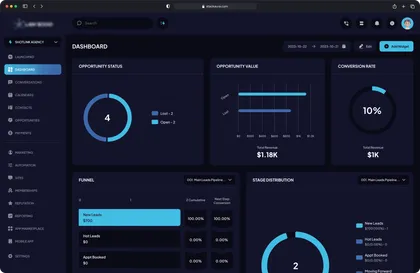
  • Obsidian Black package: dark navy dashboard with bright blue charts

    Bold. Premium. High-Contrast.

    Obsidian Black™

    A bold, high-contrast dark mode theme for agencies that want a premium look across every sub-account.

    What’s Included:

    • Everything in Aura White™
    • Full dark theme conversion
    • Custom CSS styling for the dark interface
    • Brand colors adapted for dark mode
    • A custom login page redesign
    • An internal CRM chat widget
    • A dashboard banner and showcase section
    • Refined navigation and UI hierarchy
    Get My Dashboard Estimate
  • Apex Rebrand package: white dashboard with an account manager card

    Proprietary. Exclusive. Unrecognizable.

    Apex Rebrand™

    A full rebuild that turns the platform into your own white-label software, so clients don't recognize GoHighLevel.

    What’s Included:

    • A complete theme redesign
    • Custom CSS and custom code enhancements
    • A fully rebuilt branded login environment
    • Custom icons, typography and visual system
    • Dashboard banners, showcase sections and layout changes
    • A CRM chat widget
    • Advanced custom integrations
    • A structural navigation overhaul
    • A complete white-label software experience
    Get My Dashboard Estimate

Not sure which fits? Book a free strategy call and we'll recommend one based on how you sell GoHighLevel.

Before and after

GoHighLevel Dashboard
Before & After

Drag the slider to compare HighLevel's standard interface with each of our three themes.

Aura White result: clean light dashboard with a blue welcome bannerStandard GoHighLevel dashboard before customization

Aura White™

Light branded theme

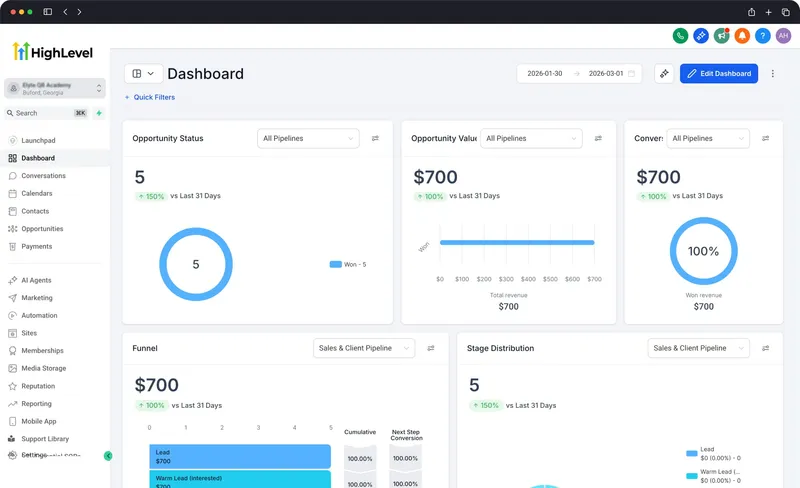
Before: The standard GHL interface
After: A clean, light dashboard in your brand colors.

Includes a login page redesign, branding updates, a dashboard banner and a CRM chat widget.

Obsidian Black result: dark dashboard with a blue welcome bannerStandard GoHighLevel dashboard before customization

Obsidian Black™

Dark mode theme

Before: HighLevel's default light interface
After: A full dark-mode dashboard in your brand colors.

Includes dark theme conversion, refined navigation and custom CSS styling for the agency view and sub-accounts.

These are interface changes, not a logo swap: colors, layout, navigation and login page all change.

Theme gallery

15 Custom GHL Dashboard Themes

Light, dark and brand-color themes we have built with custom CSS. Each one can be adapted to your colors, fonts and logo.

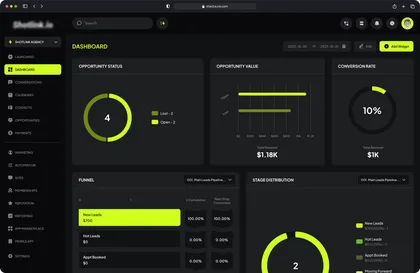
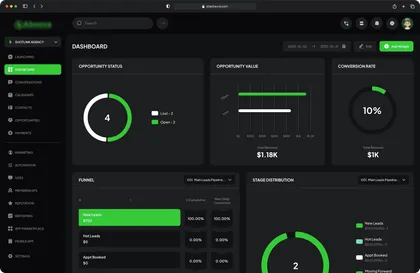
Dark dashboard theme with neon green charts and sidebar highlights
White dashboard theme with blue charts and an account manager card
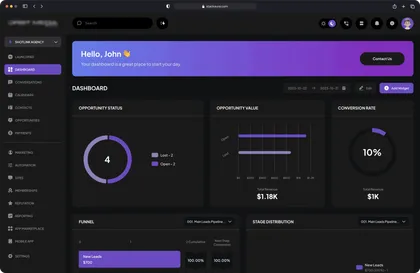
Dark dashboard theme with a purple welcome banner
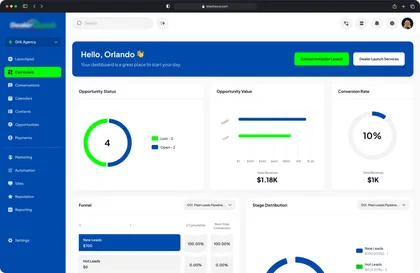
White dashboard theme with a blue sidebar and green accents
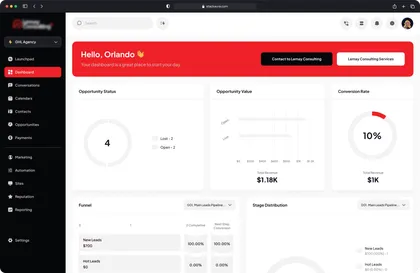
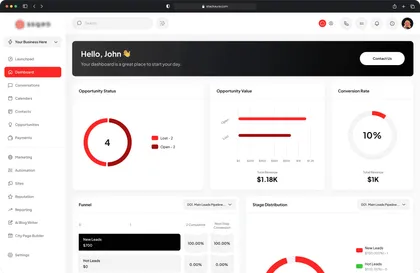
White dashboard theme with a red welcome banner and red sidebar
White dashboard theme with a purple gradient banner
Dark navy dashboard theme with bright blue charts
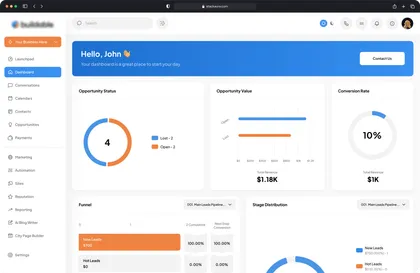
White dashboard theme with an orange sidebar and a blue banner
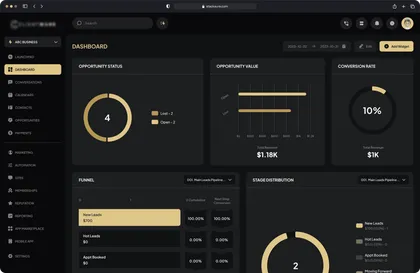
Black dashboard theme with gold charts and highlights
White dashboard theme with red charts and a black banner
Dark navy dashboard theme with light blue charts
White dashboard theme with a blue welcome banner
Black dashboard theme with bright green charts
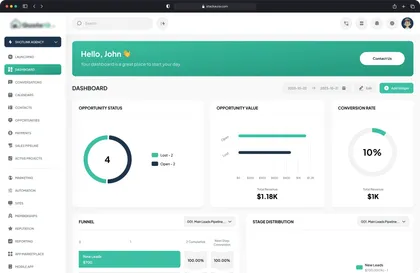
White dashboard theme with a teal welcome banner
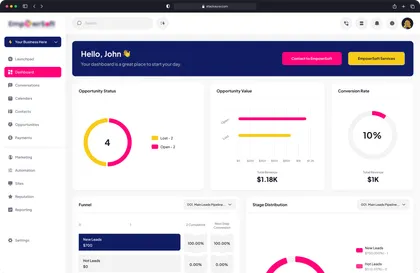
White dashboard theme with pink charts and a navy banner

Every theme covers the agency view and your sub-accounts, so clients see the same brand wherever they log in.

What's included

What’s Included in a Custom GHL Dashboard

Every package covers four areas: your branding system, dashboard banners, an internal chat widget and a redesigned login page. Together they make the white-label CRM look and feel like your own product.

Custom Branding System

Update icons, fonts, colors, layout, and UI elements to match your agency identity.

Custom Dashboard Banner & Showcase

Add announcement banners, promotions, onboarding visuals, or branded messages inside your GHL dashboard.

Dashboard with a custom welcome banner across the top

Chat Widget Integration

Enable internal CRM chat between admin and sub-accounts for real-time communication.

Beyond the theme

Custom CSS, Code and CRM Work
Inside Your GHL Dashboard

Beyond the theme, we can change how the platform works: layout, custom code and the pipelines behind it.

  • Custom CSS Themes

    We write the custom CSS that restyles your GHL dashboard: colors, typography, sidebar, header, cards and buttons, applied across your agency account and every sub-account.

  • Navigation and Layout

    We simplify menus and views so the dashboard matches how your agency actually works, without the clutter of the default layout.

  • Custom Code and JavaScript

    Where CSS isn't enough, we add custom JavaScript for banners, widgets and small interface improvements.

  • CRM and Pipeline Setup

    We set up pipelines and stages to match your real sales process, so leads route cleanly and nothing slips through.

Standard GoHighLevel dashboard and the customized version, linked by an arrow

Our approach

Built Like Software. Not a Template.

Most agencies tweak a few colors in GoHighLevel and stop there.

We treat the interface like a product: custom CSS for the look, custom code where CSS falls short, and a layout planned around how your clients actually use the CRM.

The result stops feeling like a shared platform and starts feeling like your own software.

How we work

How a GHL Dashboard Project Works

Five steps from your current account to a finished theme, tested on your agency view and sub-accounts before handoff.

  1. Step 1

    Audit

    We review your agency account, your sub-accounts, your brand assets and what you want clients to see.

  2. Step 2

    Design

    We design the theme: colors, typography, login page, banners and layout.

  3. Step 3

    CSS and JS build

    We write the custom CSS and code in Agency Settings → Company → Whitelabel → Custom Code.

  4. Step 4

    QA

    We test the agency view and your sub-accounts before anything reaches your clients.

  5. Step 5

    Handoff

    We hand over the finished theme and show you what changed.

What Clients Say About Our GoHighLevel Work

Agency owners and founders on working with StackAura on GoHighLevel funnels, builds and dashboard redesigns.

GHL dashboard FAQ

Frequently Asked Questions

Straight answers on cost, dark mode, where custom CSS goes, what happens when HighLevel updates, and how dashboard customization differs from white labeling.

  • GoHighLevel dashboard customization means restyling HighLevel's interface with custom CSS and code so it looks like your own software. That covers your brand colors, typography, sidebar, login page, banners and dark mode. It changes how the dashboard looks and works for your team and clients, not your data or automations.

    Learn more: GoHighLevel dashboard customization guide

  • It depends on the package and how much of the interface changes. Branded themes like Aura White and Obsidian Black take 5–10 business days; a full Apex rebrand takes 2–3 weeks and costs more. Send the estimate form with your account details and we reply with a quote for your setup.

  • Yes. HighLevel's agency settings include a Light/Dark theme option for the agency dashboard, and its redesigned mobile app has a true-black mode in HighLevel Labs. A custom dark theme like Obsidian Black goes further: your brand colors in dark mode, a dark branded login page and the same look across every sub-account.

  • In the agency account, under Agency Settings → Company → Whitelabel, in the Custom Code (JS & CSS) section. CSS added there styles the agency view, and in our builds it restyles every sub-account too. Funnels and websites have their own CSS panels, and HighLevel advises against using it for the mobile app, payment pop-ups or PDF invoices.

  • It's safe for your data: custom CSS changes how the interface looks, not your contacts, automations or integrations. Updates are the real risk. HighLevel calls custom CSS and JavaScript unsupported and warns that changes to its interface may break custom code. We test every theme before handoff and offer a maintenance plan that covers those fixes.

  • White labeling replaces HighLevel's identity with yours: your logo, a branded login domain and, with SaaS Mode, reselling the platform under your name. Dashboard customization changes how the software looks and feels, using custom CSS and code for colors, layout, login page and banners. Most agencies that resell GoHighLevel want both.

  • No. HighLevel's Dashboards feature lets you build reporting views with widgets for leads, pipelines and revenue. Dashboard customization changes the interface itself: colors, navigation, login page and branding. If you also want reporting widgets set up for your team, ask about it on your strategy call.

  • Yes. We can change the layout, navigation, color system, typography, icons and UI styling. An Apex Rebrand goes beyond a color swap and rebuilds the interface so it feels like your own software rather than a shared CRM.

    Learn more: Customizing GoHighLevel: the complete guide

  • Yes. We design a branded login page for your agency with your background, typography and colors. HighLevel puts your logo and white-label domain on the login screen; the redesign makes the whole page look like your product.

  • Yes. We add announcement banners, promotions, onboarding sections or branded messages inside the dashboard, so you can talk to your users where they already work.

  • Yes. We add an internal chat widget so users can message your team from inside their GoHighLevel dashboard, which makes support faster and easier to find.

  • With an Apex Rebrand, most clients won't recognize it. Custom CSS replaces HighLevel's look inside the app, while your logo and white-label domain cover the login screen, the app header and notification emails. Together they make the CRM feel like software built around your agency.

  • Yes. We update typography, icons, color palettes, UI components and layout styling to match your brand guidelines, so the dashboard looks consistent in every client account.

  • Branded themes typically take 5–10 business days. A full rebrand with structural changes may take 2–3 weeks. We give you a clear plan before starting.

  • Yes. If you resell white-label GHL or sell a productized CRM, we set up the interface to carry your brand across every sub-account, which supports retention as you add clients.

    Learn more: How customization turns GoHighLevel into a growth engine

Free strategy call

Make GoHighLevel Look
Like Your Own Software

Book a free strategy call. We’ll look at your account, show you what’s possible and recommend the package that fits how you sell GoHighLevel.

Loading the booking calendar…